Table of Contents
Social media fatigue can make an ordinary scrolling session feel strangely draining. You open an app for a quick break, move through dozens of posts, videos, opinions, advertisements, and emotional reactions, and close it feeling less rested than before.
This experience does not prove that dopamine receptors have been “burned out” or that the brain has entered a chemical deficit. More practical explanations include information overload, repeated attention shifts, emotionally demanding content, delayed sleep, prolonged close-up screen use, and time being displaced from activities that might have provided genuine rest.
This guide explains what social media fatigue may involve, seven changes worth testing, when an E-Ink reader or another dedicated device may help, and which dopamine-detox claims are better ignored.
Research note: Social media fatigue is a research and everyday-use term rather than one standardized medical diagnosis. This guide is based on published research, official eye-health and sleep guidance, public display documentation, and comparison between common digital-boundary tools.
What we assessed: information overload, scrolling habits, notifications, bedtime use, visual discomfort, content switching, app limits, physical barriers, E-Ink readers, audio alternatives, hidden costs, and realistic buyer use cases.
What we could not independently verify: that short videos burn out dopamine receptors, that a 48-hour digital break restores receptor sensitivity, that boredom represents withdrawal, or that an E-Ink device repairs attention, creativity, empathy, sleep, anxiety, or the nervous system.
Health note: Persistent fatigue can have many causes that are unrelated to social media. Contact a healthcare professional when tiredness lasts for weeks, is not improved by adequate rest, interferes with ordinary activities, or occurs with concerning physical or emotional symptoms.
Quick Verdict
Start by changing access, not by attempting a dopamine detox. Disable non-essential notifications, remove social apps from the home screen, define a stopping point, and keep the phone outside the bedroom or work area.
Do not rely only on a daily screen-time total. Thirty minutes of deliberate communication can feel different from thirty minutes of rapid, emotionally loaded, recommendation-driven scrolling.
Use built-in limits before buying hardware. Focus modes, scheduled Downtime, website blockers, autoplay settings, and charging the phone elsewhere cost nothing.
A dedicated E-Ink reader may help when the intended activity is reading but the phone repeatedly pulls you into messages, social feeds, email, and video.
An E-Ink device is poor value when you rarely read, mainly consume color material, need complex PDFs, or expect a new screen to restore concentration automatically.
Seek a broader explanation when exhaustion remains severe even after sleep, workload, medication, illness, pain, mood, nutrition, and other possible causes are considered.
What Is Social Media Fatigue?
Social media fatigue generally describes tiredness, disengagement, reduced interest, irritation, or overload associated with prolonged or demanding social media use.
It may involve:
- feeling unable to process more posts or opinions;
- checking an app automatically without a clear purpose;
- closing the app but reopening it moments later;
- feeling emotionally overloaded by news, arguments, or comparison;
- losing track of time during short-video feeds;
- finding ordinary offline activities temporarily less convenient or stimulating;
- going to bed later than intended;
- feeling dry eyes, blurred vision, headache, or neck discomfort after prolonged screen use.
The term does not identify one biological mechanism. Different users may be affected by different combinations of content, context, visual strain, sleep loss, stress, work demands, and compulsive checking.
Social media may also provide useful communication, community, entertainment, education, and support. The goal is not to classify every use as harmful. It is to identify the patterns that repeatedly leave you feeling worse or displace activities you value more.
Why Can Scrolling Feel So Draining?
Information overload
A feed may present personal updates, breaking news, advertisements, political arguments, comedy, product recommendations, health advice, and emotionally intense video within a few minutes.
Each item asks for a small act of interpretation: Is it relevant? Is it true? Should you respond? Should you compare yourself? Should you keep watching? The volume and variety can become tiring even when no single post is difficult.
Repeated changes in attention
Short-form feeds repeatedly change subject, visual style, sound, speaker, mood, and purpose. That does not mean every video creates an abnormal dopamine spike, but it does mean attention is asked to reorient frequently.
When the intended break contains hundreds of rapid changes, it may not provide the same experience as reading one chapter, listening to one album, walking, or sitting without new input.
Emotional switching
One feed may move from a family celebration to a disaster, an argument, a joke, a commercial, and a personal tragedy. This fast emotional switching can feel mentally demanding even when the user remains physically still.
No natural stopping point
A book has chapters, a television episode has credits, and an album has a final track. Infinite feeds continue until the user makes an active decision to leave.
Autoplay, recommendations, refresh gestures, and alerts reduce the number of natural pauses where that decision might otherwise occur.
Sleep displacement
The most obvious problem may be time rather than brain chemistry. An hour spent scrolling after the intended bedtime is an hour not spent sleeping.
Research has found associations between electronic media use and poorer sleep outcomes, although the size and direction of effects vary between users and studies. Association does not prove that every evening screen session causes a sleep problem.
Digital eye discomfort
Prolonged close-up screen use can be associated with dry or uncomfortable eyes, blurred vision, and headaches. The American Academy of Ophthalmology explains that these complaints are not simply the result of blue light. Reduced blinking, glare, viewing distance, text size, and long periods without breaks may contribute.
Read the American Academy of Ophthalmology guidance on digital devices and eye comfort.
Social Media Fatigue Decision Table
| Your problem | Best free first step | Possible tool | Skip if |
|---|---|---|---|
| You open social apps automatically | Remove them from the home screen and log out | App blocker or physical phone box | A basic Focus schedule already works |
| You lose time in short-video feeds | Disable autoplay and set a specific exit alarm | Physical timer or minimalist phone | You repeatedly ignore every timer |
| You intend to read but start scrolling | Use airplane mode and leave the phone elsewhere | Paper book or dedicated E-Ink reader | You rarely read in any format |
| Evening feeds delay sleep | Charge the phone outside the bedroom | Alarm clock, audio headband, or sound machine | The phone must remain available for caring or emergency needs |
| Notifications interrupt work | Disable non-essential notifications and batch messages | Visual timer or distraction-free device | The workload itself is unrealistic |
| You feel exhausted all day | Review sleep, workload, health, medication, pain, and mood | Professional assessment when appropriate | You are assuming social media is the only cause |
7 Practical Ways to Reduce Social Media Fatigue
1. Define the problem more precisely
“Too much screen time” is often too vague to change. Identify the exact behaviour:
- short videos after 10 p.m.;
- checking messages during focused work;
- reading arguments that leave you irritated;
- opening the phone during every quiet moment;
- using social media in bed after intending to sleep.
A specific behaviour can be redesigned. A general feeling of being “too digital” cannot.
2. Remove non-essential notifications
Keep alerts that are genuinely time-sensitive. Turn off promotional notifications, suggested posts, engagement summaries, reminders to return, and alerts from inactive conversations.
The goal is not to become unreachable. It is to decide which information deserves to interrupt another activity.
3. Make the feed harder to reach
Move social apps away from the home screen, sign out after use, remove saved passwords, use the browser version, or delete the app for one week.
A few extra steps create a pause in which you can notice whether opening the feed was intentional.
4. Create a stopping point before opening the app
Choose one boundary:
- ten minutes;
- replying to three messages;
- checking one specific account;
- reading saved posts only;
- leaving when the timer sounds.
Do not decide when to stop only after the feed has already captured your attention.
5. Replace the function, not only the app
Ask what the scrolling session was meant to provide:
| What you wanted | Lower-friction alternative |
|---|---|
| Connection | Message or call one person directly |
| Information | Read one saved article or newsletter |
| Entertainment | Choose one episode, album, or audiobook |
| Rest | Lie down, walk, stretch, or sit without additional content |
| Reading | Use a paper book or dedicated reader |
| Background sound | Use an offline playlist or dedicated sound device |
6. Protect the final part of the evening
The CDC includes turning off electronic devices at least 30 minutes before bedtime among its general sleep-habit recommendations.
That does not require a perfect digital detox. A practical boundary might be:
- the phone charges outside the bedroom;
- social apps lock at a set time;
- the final activity is chosen in advance;
- the television or tablet is turned off before getting into bed;
- urgent callers can still bypass Do Not Disturb.
See the CDC guidance on sleep habits.
7. Review the result without using detox language
After seven days, check observable outcomes:
- Did bedtime move earlier?
- Did you reopen the app less often?
- Did focused work contain fewer interruptions?
- Did eye discomfort or headaches change?
- Did the replacement activity actually happen?
- Did the rule interfere with work, family, accessibility, or emergency needs?
You do not need to claim that dopamine was reset. The behaviour either became easier to manage or it did not.
Can an E-Ink Reader Help?
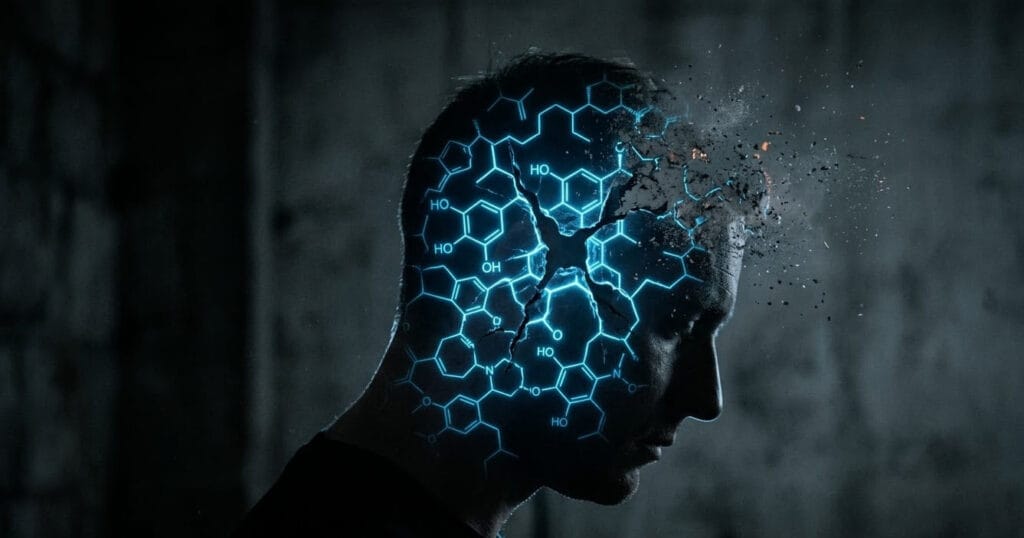
It may help when the real problem is distraction during reading. A dedicated E-Ink reader usually provides fewer unrelated apps, fewer notifications, adjustable text, long battery life, and a display designed primarily for books and documents.
E Ink is an electrophoretic display technology. The display uses charged pigment particles to form an image and reflects ambient light rather than using the same type of backlight found behind an LCD panel.
Many modern e-readers also include a front light for use in dim environments. The light is directed across the display surface, but it still adds light to the evening environment. Do not describe every illuminated E-Ink device as completely non-emissive or incapable of affecting comfort or bedtime habits.
An E-Ink reader may change:
- how easily unrelated apps interrupt reading;
- screen reflectivity and outdoor readability;
- text size, spacing, and font controls;
- battery and charging frequency;
- how many books can be carried.
It does not automatically:
- restore dopamine receptors;
- repair attention;
- remove every source of eye discomfort;
- guarantee better sleep;
- make a person enjoy reading;
- turn boredom into proof of neurobiological recovery.
Our digital fatigue buyer guide compares Kindle, smartphones, tablets, paper books, Kindle Unlimited, and the hidden costs of dedicated reading devices.
Product Guides From MindReset
Use the exact problem to choose the next guide. Do not buy several digital-wellbeing products at once.
| Your main problem | MindReset guide | What it helps you decide |
|---|---|---|
| Social apps repeatedly interrupt focus | Digital Detox Tools for Focus | Physical blockers, timers, minimalist devices, lock boxes, and when free settings are enough |
| You want to read without phone distractions | Kindle vs Phone vs Paper Books | E-readers, subscriptions, paper books, hidden costs, and who should skip a Kindle |
| You need a free behaviour plan first | Digital Mindfulness | Notification control, scheduled checking, phone placement, and a practical seven-day routine |
| Limits fail when you are tired | The Willpower Discipline Trap | Environmental friction, smart-home limits, and safer automation |
| You prefer spoken content to evening scrolling | Audiobooks for Relaxation | Audiobook platforms, subscriptions, screen-off listening, and free alternatives |
| You need comfortable bedtime audio | Musicozy Sleep Headphones Review | Headband comfort, battery life, audio limitations, and alternatives |
| You want sound without reopening the phone | Sound Oasis S-680 Review | Dedicated sound machine features, portability, sound choices, and value |
Who Should Consider a Dedicated Device?
- You repeatedly enter the phone to read and leave through social media.
- You already read books, long articles, or documents several times per week.
- Built-in app limits are too easy to override.
- You want adjustable text, outdoor readability, and long battery life.
- You travel and want several books without carrying the physical weight.
- You understand that the device is a behavioural tool rather than a treatment.
- You have checked the return policy, subscriptions, accessories, and file compatibility.
Who Should Avoid Buying Another Device?
- You rarely read regardless of format.
- You mainly need color textbooks, video, magazines, or complex PDFs.
- Airplane mode and moving the phone already solve the problem.
- You are buying because of claims about dopamine recovery or nervous-system repair.
- The purchase would add another app, subscription, charger, and unused device.
- Your exhaustion remains severe across work, rest, weekends, and screen-free periods.
- You are avoiding medical or mental-health assessment by repeatedly changing gadgets.
Hidden Costs and Limitations
Another device can become another feed
Some E-Ink tablets include browsers, email, app stores, AI features, cloud storage, and notifications. Confirm that the product is genuinely more focused than the device it is meant to replace.
Subscriptions and book costs
A reader may lead to ebook purchases, Kindle Unlimited, cloud storage, premium note features, audiobooks, covers, styluses, replacement tips, and warranty costs.
Front light is still light
Many E-Ink readers use adjustable front lighting. Lower brightness and warmer settings may feel more comfortable, but they do not guarantee that late-night use will have no effect on bedtime or sleep.
E-Ink has performance limitations
Page refresh, ghosting, video performance, color range, touch response, document formatting, and app compatibility may be weaker than on an LCD or OLED tablet.
The original habit can move to another device
A person may buy an e-reader and continue scrolling on the phone beside it. The environmental boundary still matters.
Screen reduction is not complete recovery
Less social media cannot compensate for severe sleep loss, excessive work, pain, medication effects, illness, loneliness, conflict, depression, or another cause of exhaustion.
What We Could Verify
- Social media fatigue has been described in research as overload, tiredness, and disengagement associated with extensive social media use.
- Prolonged digital-device use may be associated with dry eyes, blurred vision, headaches, and other temporary discomfort.
- Digital eye discomfort is not explained only by blue light.
- Electronic media use has been associated with poorer sleep outcomes across research studies, although individual effects and causality vary.
- The CDC includes switching off electronic devices before bedtime among general sleep-habit recommendations.
- E Ink is a reflective electrophoretic display technology rather than a conventional LCD backlight system.
- Many E-Ink readers use an additional front light for dim environments.
- Moving apps, disabling notifications, and using scheduled limits can add practical friction without buying hardware.
What We Could Not Verify
- That each short video creates a predictable dopamine spike followed by a lower baseline.
- That social media burns out dopamine receptors.
- That 48 hours without digital stimuli restores receptor sensitivity.
- That boredom while reading is a dopamine-withdrawal syndrome.
- That E-Ink makes the visual cortex relax or prevents every form of eye discomfort.
- That illuminated E-Ink devices cannot affect evening alertness or sleep.
- That slow reading activates unique networks that reliably restore creativity and empathy.
- That switching devices cures exhaustion, anxiety, concentration problems, or emotional disconnection.
Frequently Asked Questions
Is social media fatigue a medical diagnosis?
No. It is a term used to describe tiredness, overload, reduced interest, or disengagement associated with social media use. Persistent or severe fatigue may require evaluation for other physical, psychological, medication-related, or lifestyle causes.
Does scrolling deplete dopamine?
Social media interacts with reward, attention, habit, and motivation systems, but the popular story of each post causing a spike followed by a damaged lower baseline is too simple. Current evidence does not justify diagnosing “dopamine depletion” from ordinary scrolling.
Does dopamine detox work?
Taking a break from an unwanted behaviour may help you observe cues and rebuild routines. It does not remove dopamine from the brain or medically reset receptors. Use terms such as digital break, notification reset, or reduced social media use instead.
Why do I feel tired after watching short videos?
Possible contributors include information overload, repeated attention changes, emotional content, prolonged close-up viewing, reduced blinking, poor posture, delayed meals or bedtime, and simply spending longer in the feed than intended.
Is E-Ink better for the eyes?
Some readers find reflective E-Ink more comfortable than a glossy LCD or OLED display. Comfort still depends on lighting, text size, viewing distance, blinking, posture, reading duration, vision needs, and front-light settings.
Can I read on an E-Ink device before bed?
You can, but monitor whether the activity delays sleep. Use low brightness when front lighting is needed, choose a clear stopping time, and consider paper reading or no device when even an e-reader keeps you awake.
Do I need to delete every social media account?
No. Many users benefit from narrower changes: removing one app, disabling recommendations, setting scheduled access, unfollowing high-load accounts, or using social media only through a desktop browser.
When should fatigue be checked by a professional?
Contact a healthcare professional when fatigue lasts for weeks, is not relieved by adequate rest, interferes with normal activities, or occurs with symptoms such as unexplained weakness, breathlessness, pain, faintness, major sleep disruption, or persistent loss of interest.
Final Verdict
Social media fatigue is better understood as a practical overload problem than as proof of damaged dopamine chemistry.
Begin with free changes: reduce notifications, make feeds harder to access, choose a stopping point, keep the phone away from sleep and work spaces, and prepare a lower-input alternative before the urge to scroll appears.
Use an E-Ink reader when reading is already a valued activity and the phone’s multi-purpose design repeatedly pulls you elsewhere. Do not buy one to restore receptors, heal attention, or guarantee deep sleep.
Use physical blockers, dedicated sound devices, audiobooks, or minimalist tools only when a seven-day free test identifies a specific remaining obstacle.
Most importantly, do not attribute persistent exhaustion entirely to social media. Digital habits may be one part of the picture, but sleep, work, pain, medication, physical health, mood, and daily circumstances also deserve attention.
MindReset recommendation: replace one draining scrolling period with one prepared activity for seven days. Measure bedtime, interruptions, and actual use. Keep the change that works without inventing a dopamine story around it.
Sources and Further Reading
- U.S. National Library of Medicine: Social Media Fatigue — Causes and Concerns
- U.S. National Library of Medicine: Electronic Media Use and Sleep Quality
- U.S. National Library of Medicine: Social Media Use, Mental Health, and Sleep
- American Academy of Ophthalmology: Digital Devices and Your Eyes
- American Academy of Ophthalmology: Computers, Digital Devices, and Eye Strain
- U.S. Centers for Disease Control and Prevention: About Sleep
- MedlinePlus: Fatigue
- E Ink: How Electronic Ink Works
- E Ink: Front Light Technology