
Table of Contents
Most people do not multitask as well as they think.
MindReset.org may earn a commission if you buy through our links. This does not increase your price and does not affect our editorial judgment.
As an Amazon Associate, we earn from qualifying purchases.
Research note: This guide is based on public information, available research, practical workflow principles, and comparison with similar focus and digital-boundary routines. It is not a hands-on clinical or medical review.
This article is for general educational purposes only. It is not medical advice, diagnosis, treatment, therapy, or mental-health guidance. Focus routines, productivity habits, digital boundaries, breathing practices, and self-regulation strategies may not be suitable for everyone. If you have a medical or mental-health condition, take medication, feel overwhelmed, or are unsure whether a practice is appropriate for you, speak with a qualified professional before relying on it.
You may answer messages during meetings, check notifications while writing, keep ten tabs open “just in case,” or jump between email, documents, social media, and task lists all afternoon. It can feel busy. It can even feel productive.
But often, it is just fragmented attention.
Single-tasking is not about becoming slow, rigid, or old-fashioned. It is about giving one important task enough space to actually move forward.
This guide explains the difference between single-tasking and multitasking, why switching between tasks feels so draining, and how to build a simple focus routine that works in real life.
Quick verdict: Multitasking can be useful for simple, low-stakes tasks. But for writing, planning, studying, creative work, deep thinking, and important decisions, single-tasking is usually the better default.

What Is Single-Tasking?
Single-tasking means doing one meaningful task at a time with fewer competing inputs.
That does not mean you spend your whole day in silence. It means that when a task matters, you protect it from unnecessary switching.
Examples of single-tasking:
- writing one section before checking messages;
- reading one article without opening five more tabs;
- answering email during a set window instead of all day;
- working with your phone out of reach;
- planning tomorrow on paper instead of inside a noisy app;
- using one browser tab for the task in front of you.
Single-tasking is not a personality trait. It is a setup.
If your environment is full of alerts, open apps, unfinished tabs, and constant access to entertainment, focus becomes harder than it needs to be.
What Is Multitasking?
Multitasking usually means trying to handle several things at once.
Sometimes this is harmless. You can fold laundry while listening to a podcast. You can walk while thinking. You can cook while waiting for water to boil.
The problem starts when you try to combine tasks that both need real attention.
Examples:
- writing while checking Slack;
- reading while watching YouTube;
- studying while responding to messages;
- joining a meeting while clearing email;
- planning your week while scrolling social media;
- working on a report while news alerts keep arriving.
In those cases, you are often not doing two things well at the same time. You are switching back and forth.
That switching can make the day feel busy without producing much finished work.

Single-Tasking vs Multitasking: The Real Difference
The difference is not “good people single-task, distracted people multitask.”
The real difference is task quality.
Multitasking is fine when the tasks are simple, automatic, or low-impact.
Single-tasking is better when the task requires:
- clear thinking;
- writing;
- decision-making;
- learning;
- planning;
- creative work;
- emotional control;
- accuracy;
- meaningful progress.
A useful rule:
If the task would suffer from mistakes, confusion, or shallow thinking, do it alone.
If the task is routine and low-risk, multitasking may be fine.
Why Task Switching Feels So Draining
Every time you move from one task to another, your mind has to reorient.
You ask yourself:
- What was I doing?
- Where did I stop?
- What matters next?
- What was the context?
- Which tab, file, or message was I using?
- Why did I open this in the first place?
This small reset may not feel like much once. But repeated all day, it adds friction.
That is why you can end a day feeling mentally tired even if nothing important was finished. Your attention was working, but much of it was spent switching, recovering, and restarting.

Attention Residue: Why the Previous Task Stays With You
One reason switching feels messy is attention residue.
Attention residue means part of your attention remains stuck on the previous task after you move to the next one.
You may open a document, but part of your mind is still thinking about the message you just read. You may start a call, but your brain is still processing the unfinished spreadsheet. You may sit down to write, but your attention keeps drifting back to the notification you ignored.
Single-tasking helps because it reduces these unfinished fragments.
Instead of keeping ten mental windows open, you close one loop before opening another.
When Multitasking Is Not the Problem
Not all multitasking is bad.
It can work when one activity is automatic and the other is light.
Examples:
- walking while listening to calm audio;
- cleaning while listening to music;
- folding laundry during a casual podcast;
- waiting for food while reviewing a simple checklist.
The issue is not doing two simple things at once.
The issue is combining attention-heavy work with distraction-heavy inputs.
Your brain can handle background activity. It struggles more when every task demands decision-making, memory, language, or emotional attention.
The MindReset Single-Tasking Method
Use this simple method when you need real focus.
Step 1: Choose One Task
Do not start with “I need to be productive.”
Pick one specific task.
Weak task:
“Work on business.”
Better task:
“Write the first draft of the product comparison section.”
Weak task:
“Fix website.”
Better task:
“Update the meta description and internal links for one article.”
Single-tasking begins with clarity.
Step 2: Define the Finish Line
A focus block needs an endpoint.
Examples:
- write 500 words;
- edit one section;
- answer 10 emails;
- clean one folder;
- review one report;
- plan tomorrow’s top three tasks;
- complete one product comparison table.
If the task has no finish line, your brain will look for escape routes.
Step 3: Remove the Main Distraction
Do not try to become a monk.
Remove the one distraction most likely to break the task.
That might mean:
- phone in another room;
- notifications off;
- one browser tab open;
- email closed;
- social media blocked;
- headphones on;
- workspace cleared;
- timer visible.
You do not need perfect discipline. You need fewer easy exits.
Step 4: Work in a Small Block
Start with 25–45 minutes.
You do not need a heroic 3-hour deep work session. A shorter clean block is better than a long messy one.
During the block, keep only one task active.
If another thought appears, write it on a capture note and return to the task.
Do not chase every thought.
Capture it. Continue.
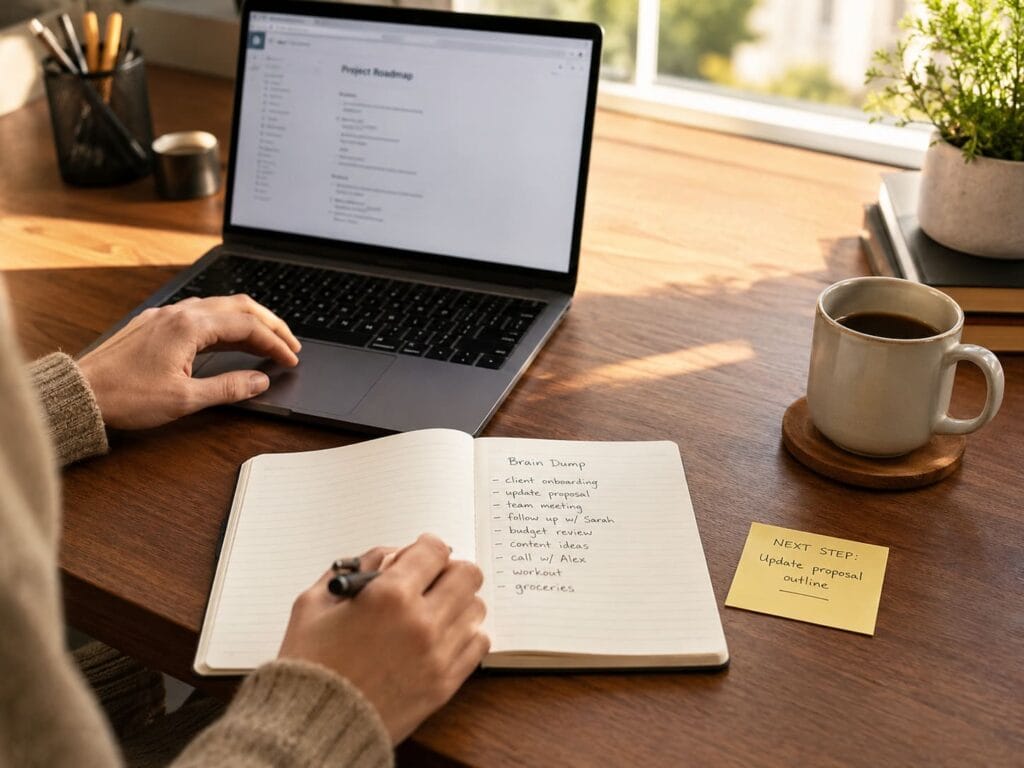
Step 5: Leave a Next-Step Anchor
Before you stop, write one sentence:
“Next step: ________.”
Examples:
- “Next step: add the comparison table.”
- “Next step: rewrite the intro.”
- “Next step: check product specs.”
- “Next step: answer Sarah’s message.”
- “Next step: upload the image.”
This makes it easier to restart later without losing time.
The One-Tab Rule
The one-tab rule is simple:
When doing a focus task, keep only the tab or document you actually need.
This is especially useful for:
- writing;
- studying;
- editing;
- research cleanup;
- product comparisons;
- SEO updates;
- admin tasks.
If you need extra sources, open them one at a time.
The point is not browser minimalism. The point is reducing visual temptation.
Every open tab is a possible escape hatch.
The Phone-Out-of-Reach Rule
If your phone is next to your keyboard, it becomes part of the task whether you want it or not.
For focus blocks, put the phone:
- across the room;
- in a drawer;
- in another room;
- face down and on silent;
- in a bag;
- outside the bedroom or workspace.
This works because it changes friction.
Checking your phone becomes a deliberate action, not a reflex.
Batching: The Better Way to Handle Low-Value Tasks
Some tasks do not need constant attention.
Email, messages, admin, quick replies, small updates, and file cleanup are often better handled in batches.
Instead of checking all day, create windows:
- email: 11:30 and 16:30;
- messages: after focus block;
- admin: one 30-minute block;
- social media: scheduled posting only;
- news: one planned check, not continuous refresh.
Batching protects focus without pretending that communication does not matter.
Tools That Support Single-Tasking
Willpower is unreliable. Environment design is better.
For more analog options, see our guide to digital detox tools that help reduce screen friction.
Useful tools include:
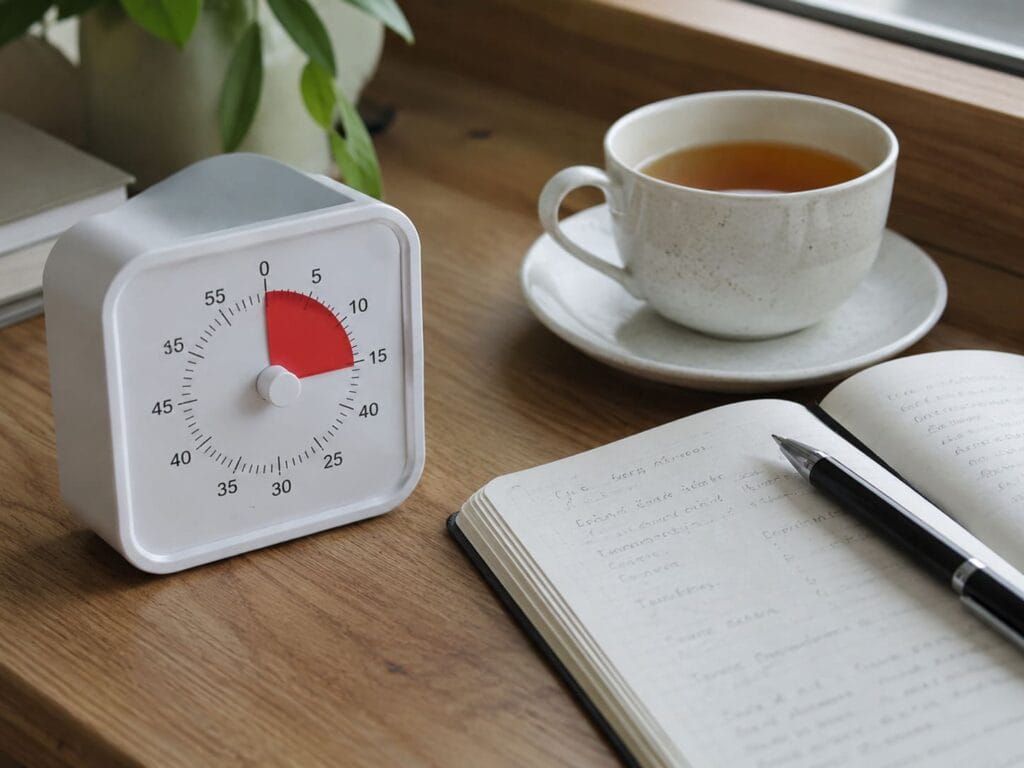
Analog Timer
A physical timer gives your focus block a visible boundary. You know when the block starts and ends.
Notebook or Brain Dump Pad
Use paper to capture distractions without opening another app.
Write down:
- random thoughts;
- tasks to do later;
- messages to send;
- ideas;
- worries;
- things to check after the block.
App Blocker
Use blockers for the apps that repeatedly pull you away from work.
Do not block everything. Block the worst offenders.
Button Phone or Dumbphone Setup
For some people, a simple phone during work hours removes the biggest source of distraction.
This does not need to be permanent. It can be a temporary focus tool.
Distraction-Free Writing Tool
A plain writing app, notebook, or minimal device can help if your normal laptop setup always turns into browsing.
The best tool is not the most expensive one.
The best tool is the one that removes the most friction between you and the task.
A Simple Single-Tasking Routine
Use this routine tomorrow:
- Choose one task.
- Define the finish line.
- Put your phone away.
- Open only what you need.
- Set a 25–45 minute timer.
- Write distracting thoughts on paper.
- Finish the block.
- Write the next-step anchor.
That is enough.
The goal is not to become perfectly focused all day.
The goal is to create one clean block of attention.
Then repeat.
Common Mistakes
Mistake 1: Trying to Single-Task All Day
You do not need eight hours of deep work.
Start with one focused block.
Mistake 2: Keeping Notifications On
You cannot protect focus while inviting interruptions.
Turn off non-essential alerts during focus work.
Mistake 3: Confusing Planning With Working
Planning matters, but do not spend the entire block organizing the task.
Pick a finish line and start.
Mistake 4: Using Your Phone as a Timer
This often backfires. You pick up the phone to check the timer and end up somewhere else.
Use a physical timer when possible.
Mistake 5: Restarting From Zero Every Time
Always leave a next-step anchor before stopping. It makes the next session easier.
Single-Tasking for Digital Detox
Single-tasking is one of the easiest digital detox practices because it does not require quitting technology.
You still use your devices.
You just stop letting every device compete for attention at the same time.
A good digital detox is not only about using fewer screens. It is about using screens with more intention.
Single-tasking helps because it creates a clean rule:
One task. One screen. One block.
Final Verdict: Focus Is Built by Design
The choice between single-tasking and multitasking is not about being more disciplined than everyone else.
It is about designing your day so focus has a chance.
Multitasking is useful for simple, low-risk tasks. But if you want better writing, clearer thinking, stronger decisions, and less mental clutter, single-tasking is the better default.
Start small.
One task. One block. One finish line.
That is how attention becomes useful again.