
Table of Contents
Digital burnout recovery guide
Digital burnout is what happens when your mind never gets a clean break from screens, notifications, messages, tabs, work apps, news, and endless online input.
You may still function. You may still answer emails, finish tasks, scroll at night, and look “fine” from the outside. But inside, everything starts to feel heavier.
Your focus drops. Your patience gets shorter. Your sleep routine becomes messy. You open your phone without thinking. You feel tired, but real rest feels harder to reach.
This digital burnout recovery guide is not about quitting technology or pretending modern life can work without screens. It is a practical reset plan for people who want to reduce digital overload, rebuild attention, and create a calmer daily routine.

Quick Verdict: What Helps Most With Digital Burnout?
The fastest way to reduce digital burnout is not a dramatic 30-day detox. It is reducing digital input at the moments when your brain is most vulnerable: first thing in the morning, during deep work, and before sleep.
Start with three changes:
- Turn off non-essential notifications.
- Keep your phone away for the first 30 minutes after waking.
- Create a screen-light evening routine before bed.
You do not need expensive gadgets to begin. For most people, the biggest improvement comes from fewer interruptions, clearer boundaries, offline recovery blocks, and better evening habits.
What Is Digital Burnout?
Digital burnout is a state of mental, emotional, and physical exhaustion linked to too much digital input.
It is not just “using your phone too much.” The deeper problem is the constant demand on your attention.
Screens now follow people through work, rest, social life, entertainment, shopping, news, fitness, banking, and sleep routines. Even when the workday ends, the digital noise often continues through messages, social feeds, short videos, email checks, and bedtime scrolling.
Traditional burnout is usually connected to long-term work stress, responsibility, and emotional exhaustion. Digital burnout is more specifically connected to:
- constant notifications
- screen fatigue
- information overload
- social comparison
- work-life boundary collapse
- passive scrolling
- too little offline recovery
- always feeling available
The result is a nervous system that rarely gets a clear signal that the day is over.
Digital Burnout Signs You Should Not Ignore
Digital burnout can show up in different ways. You do not need every sign on this list. If several of these patterns feel familiar, your digital environment probably needs a reset.
Mental signs
You may notice that your attention feels fragmented. You start one task, switch to another, check a message, open a tab, forget why you opened it, then feel irritated because nothing is finished.
Common mental signs include:
- brain fog after long screen sessions
- difficulty focusing on one page or task
- forgetting simple things
- rereading information because it does not stick
- avoiding deep work
- feeling mentally tired even after a low-effort day
- needing constant background stimulation
This is often not laziness. It is attention overload.
Emotional signs
Digital burnout can also change your emotional baseline. Small things start to feel more annoying than they should.
You may feel:
- irritated by small notifications
- restless when nothing is happening
- numb after scrolling
- anxious after checking news or social media
- guilty for resting
- jealous or low after online comparison
- overwhelmed before the day has properly started
If your phone regularly changes your mood for the worse, that is a useful signal.
Physical signs
Screen overload often shows up in the body.
Common physical signs include:
- eye strain
- dry eyes
- headaches
- neck or shoulder tension
- jaw tightness
- poor sleep quality
- feeling wired at night but tired during the day
These signs do not always mean something serious, but they do mean your body needs better breaks from digital input.
Behavioural signs
This is where digital burnout becomes obvious.
You may notice that you:
- check your phone automatically
- scroll when you planned to sleep
- open apps without deciding to
- check work messages outside work hours
- use screens during every quiet moment
- feel uncomfortable leaving your phone in another room
- keep refreshing email, analytics, messages, or social feeds
The biggest warning sign is not screen time itself. It is loss of choice.

Why Scrolling Feels So Hard to Stop
Scrolling is not just a discipline problem.
Most digital platforms are built around novelty, movement, reward, and quick emotional reactions. Every swipe gives your brain something new to process. That can make ordinary life feel slower and less stimulating by comparison.
This is why a digital burnout recovery plan should not rely only on willpower.
It works better when you change the environment:
- remove draining apps from the home screen
- turn off non-essential notifications
- log out of the worst apps
- use fixed checking windows
- keep the phone away from bed
- replace scrolling with a simple offline habit
The goal is to increase the gap between impulse and action.
Even waiting 10 minutes before checking your phone in the morning can help you start the day with more control.
Digital Burnout vs Normal Tiredness
Normal tiredness usually improves with sleep, food, a slower evening, or a proper break.
Digital burnout often feels different because the “rest” is still full of input.
You may spend the evening on your phone and tell yourself you are relaxing. But your brain is still processing images, opinions, comments, ads, arguments, messages, and unfinished information.
This is why digital burnout recovery needs more than rest. It needs input control.
The question is not only: “How much screen time do I have?”
The better question is: “Does this screen time leave me clearer or more drained?”
The MindReset Approach: Reduce Input Before Buying Anything
Many wellness problems get turned into shopping problems too quickly.
With digital burnout, the first step is not buying another device, app, subscription, course, or tracker.
The first step is removing the noise that created the overload.
Start with free changes:
- fewer notifications
- fewer apps on the home screen
- no phone in bed
- fewer work messages outside work hours
- one offline meal or drink break
- a screen-light evening routine
- a morning no-scroll window
Tools can help later, but only if they support a behaviour you are already trying to build.
A good rule:
Buy tools only when they make a useful habit easier. Do not buy tools to avoid changing the habit.

Digital Burnout Recovery Table
| Problem | Best First Fix | Why It Helps | Skip If |
|---|---|---|---|
| Morning phone checking | Keep your phone away for the first 30 minutes | Stops the day from starting in reaction mode | You need urgent family, medical, or work access |
| Evening scrolling | Create a 60-minute screen-light window | Reduces stimulation before sleep | You work late and need a smaller boundary |
| Constant notifications | Turn off non-essential alerts | Reduces interruption load | The alert is safety-critical |
| Eye strain | Use the 20-20-20 rule | Gives your eyes regular breaks | Symptoms are persistent or severe |
| Work app overload | Batch messages where possible | Protects focus blocks | Your role needs live response |
| Social media comparison | Move apps off your home screen | Adds friction before automatic use | Social media is part of your job |
| Bedtime restlessness | Use a short breathing or grounding routine | Helps the body downshift | Breathing exercises feel uncomfortable |
| Passive scrolling | Replace it with an analog anchor | Gives your brain a real-world reset | You need active online research |
Step 1: Do a 10-Minute Digital Burnout Audit
Before changing everything, find the real source of the overload.
Open your phone and write down:
- your top 5 most-used apps
- which apps make you feel worse after using them
- which apps you open automatically
- what you check first in the morning
- what you use in bed
- which notifications actually matter
- which work platforms follow you into personal time
Then sort your digital life into three groups.
Keep
These are useful tools that support your real life.
Examples:
- maps
- banking
- calendar
- family messages
- health appointments
- work tools
- learning tools
Limit
These are not necessarily bad, but they become draining without boundaries.
Examples:
- YouTube
- TikTok
- news apps
- Slack
- WhatsApp groups
- shopping apps
Remove or hide
These are apps or habits that repeatedly leave you foggy, irritated, jealous, distracted, or numb.
You do not have to delete everything forever. Start by removing them from the home screen, logging out, or turning off notifications.
Friction matters. The easier an app is to open, the more often you will open it without thinking.
Step 2: Turn Off Non-Essential Notifications
Notifications are one of the biggest causes of digital burnout because they train your attention to stay alert.
Use this rule:
If it is not from a real human, not time-sensitive, and not safety-related, it does not need to interrupt you.
Turn off notifications for:
- social media likes
- shopping apps
- news alerts
- games
- recommendation apps
- content platforms
- email newsletters
- non-essential group chats
- wellness apps that over-notify you
Keep notifications for:
- family
- close friends
- calendar events
- medical appointments
- banking and security alerts
- genuinely urgent work channels
This one change can make your phone feel less like a slot machine and more like a tool.
Step 3: Use the Grayscale Hack
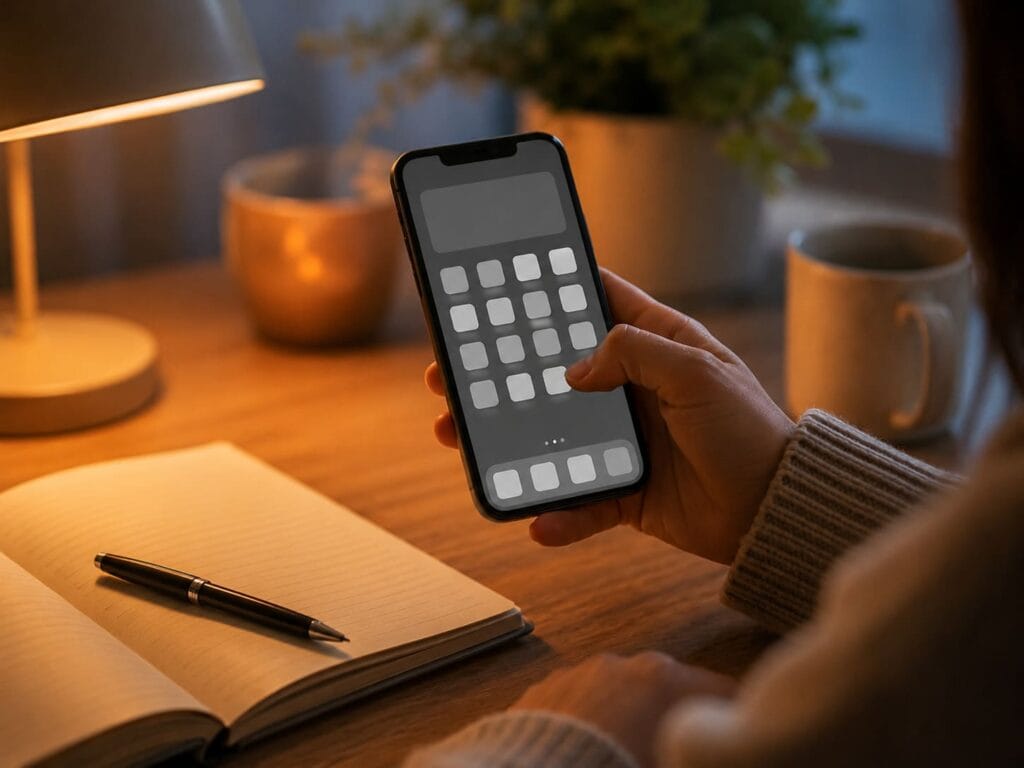
If your phone feels too tempting, turn the screen to grayscale.
Colorful app icons, red notification badges, and bright interface design make your phone more visually rewarding. Grayscale removes some of that pull.
You can use grayscale:
- during work blocks
- after dinner
- before bed
- during weekends
- when you notice automatic scrolling
This is not magic. It simply makes your phone less stimulating.
That is the point.
The less rewarding the screen feels, the easier it becomes to choose something else.
Step 4: Create a Morning No-Scroll Window
The first 30 minutes of the day should not belong to other people’s messages, problems, opinions, or algorithms.
A simple morning digital boundary:
- no social media
- no news
- no email
- no work messages unless urgent
- no checking analytics, comments, or sales dashboards
Instead, do a basic reset:
- Drink water.
- Open curtains or get natural light.
- Move for two minutes.
- Write your top three priorities.
- Take five slow breaths before opening your phone.
This does not need to be perfect. It only needs to stop the day from starting in reaction mode.
If 30 minutes feels impossible, start with 10 minutes.
The real win is not the number. The win is proving that your phone does not own the first moment of your day.
Step 5: Use the 20-20-20 Rule for Screen Fatigue
Eye strain is one of the clearest physical signs that your screen habits need better breaks.
Use the 20-20-20 rule:
Every 20 minutes, look at something about 20 feet away for 20 seconds.
This gives your eyes a break from close-up focus and interrupts the “digital tunnel” feeling that builds during long sessions.
For a better reset, add the body:
- relax your jaw
- drop your shoulders
- unclench your hands
- take one slow exhale
- look across the room or out of a window
This turns a simple eye break into a short nervous system reset.
Step 6: Take Screen Breaks Before You Feel Fried
Most people take breaks too late.
They wait until they are already tired, foggy, irritated, or restless. By that point, the brain is already overloaded.
A better rhythm:
- every 20 minutes: look away from the screen
- every 60–90 minutes: stand up and move
- once per half day: take an offline food or drink break
- once per day: spend 10 minutes without phone, laptop, podcast, or music
That last point matters.
Many people replace one input with another. They leave the laptop, then pick up the phone. They stop working, then start watching videos. They take a walk, but fill the whole walk with a podcast.
That may be fine sometimes, but it is not a true reset.
At least once per day, give your mind a few minutes with no new input.

Step 7: Build an Evening Digital Detox Routine
Evening scrolling is one of the easiest ways to turn tiredness into digital burnout.
You may feel like you are resting, but your brain is still processing movement, novelty, emotion, comparison, and unfinished information.
Create a 60-minute screen-light window before bed.
60 minutes before bed
- Stop work messages.
- Put your phone on charge away from the bed.
- Dim the lights.
- Prepare tomorrow’s basics.
- Avoid intense news, arguments, shopping, or work planning.
30 minutes before bed
Choose one low-input activity:
- reading
- stretching
- journaling
- prayer
- calm music
- light tidying
- a warm shower
- preparing clothes for tomorrow
Last 10 minutes
Use a short downshift routine:
- inhale gently through the nose
- exhale longer than you inhale
- relax your jaw
- soften your shoulders
- let the bed support your body
- stop trying to solve tomorrow tonight
Do not turn this into another performance task.
You are not trying to “win” sleep. You are simply giving your body fewer reasons to stay alert.
Step 8: Create Analog Anchors
Digital burnout recovery fails when people remove scrolling but do not replace it with anything.
Your brain will look for the old stimulation unless you give it a better default.
Analog anchors are physical, offline activities that reconnect your attention with the real world.
Useful analog anchors include:
- writing in a paper notebook
- reading a physical book
- making tea without your phone
- stretching
- walking outside
- doing a puzzle
- cooking
- tidying one small area
- preparing clothes or food for tomorrow
- sitting outside for five minutes
- using a printed checklist
The goal is not to become anti-technology.
The goal is to remind your brain that rest does not have to come from a screen.

Step 9: Replace Scrolling With Real Recovery
Do not only remove the bad habit. Replace it.
| When You Want To… | Replace It With… |
|---|---|
| Scroll in bed | Read 3 pages or do slow breathing |
| Check news repeatedly | Choose one scheduled news window |
| Open social media from boredom | Take a 5-minute walk |
| Check work messages at night | Write the task down for tomorrow |
| Watch random videos | Choose one planned video, then stop |
| Refresh analytics | Check once at a fixed time |
| Fill silence | Sit with tea, music, or no input for 5 minutes |
| Open your phone after waking | Drink water and write your top 3 priorities |
Step 10: Try a Soft Digital Sabbath
A full offline day is unrealistic for many people. A softer version works better.
Choose a 2–4 hour block once per week with:
- no social media
- no work apps
- no news
- no passive scrolling
- no online shopping
- no random videos
You can still use your phone for safety, maps, family, or essential messages.
This is not punishment. It is a clean break from constant input.
Good times for a soft digital sabbath:
- Sunday morning
- Saturday afternoon
- one evening per week
- a quiet block after lunch
- the first half of a day off
During the block, do something simple and physical:
- walk
- cook
- clean
- read
- stretch
- sit outside
- visit a local place
- organize your room
- plan the week on paper
The first time may feel uncomfortable. That is normal.
The discomfort is often a sign that your attention has become used to constant stimulation.

The 7-Day Digital Burnout Recovery Plan
Use this as a practical one-week reset.
Day 1: Notification cleanup
Turn off every non-essential notification. Keep only urgent, human, security, and calendar alerts.
Day 2: Morning boundary
No phone scrolling for the first 30 minutes after waking. If that feels too hard, start with 10 minutes.
Day 3: Evening boundary
Create a 60-minute screen-light window before bed. Charge your phone away from your pillow.
Day 4: Social media friction
Move social apps off your home screen. Log out of the app that drains you most.
Day 5: Work app boundary
Choose fixed windows for email and messages where possible. Stop checking constantly.
Day 6: Offline recovery block
Spend 30–60 minutes offline. Walk, cook, stretch, clean, read, pray, journal, or sit outside.
Day 7: Review what actually worked
Ask:
- What made me feel calmer?
- What reduced my scrolling?
- What improved my evening?
- What was unrealistic?
- What one boundary should stay?
Keep the changes that gave you the most relief with the least effort.

What Should You Buy for Digital Burnout?
You do not need to buy anything to start recovering from digital burnout.
Optional tools may help only when they support the routine.
MindReset.org may earn a commission if you buy through our links. This does not increase your price and does not affect our editorial judgment.
| Tool | Useful For | Skip If |
|---|---|---|
| Analog alarm clock | Keeping your phone out of bed | You can already wake without phone temptation |
| Paper notebook | Replacing bedtime phone notes | You prefer digital planning |
| App blocker | Stopping automatic scrolling | You can manage limits manually |
| Blue-light blocking glasses | Evening screen work | You rarely use screens at night |
| White noise machine | Creating a calmer sleep environment | You sleep better in silence |
| Simple timer | Creating work and break blocks | You already follow breaks well |
| Printed checklist | Staying consistent offline | You dislike paper systems |
MindReset rule:
Buy the tool only if it supports a behaviour you are ready to practise.
Do not buy gadgets to avoid setting boundaries.
Who This Guide Is For
This guide is for you if:
- you feel drained by screens
- your phone follows you into bed
- notifications make you tense
- you scroll when you want to stop
- your focus feels scattered
- you feel foggy after online sessions
- your evenings feel overstimulating
- you want practical steps, not a dramatic detox
This is especially useful if your main problem is not technology itself, but the lack of clear boundaries around it.
Who Should Not Rely on This Guide Alone
This guide is not a medical treatment plan.
Speak with a qualified professional if you are dealing with severe anxiety, depression symptoms, panic attacks, ongoing insomnia, self-harm thoughts, substance misuse, or burnout that affects your ability to function.
Digital detox habits can support a calmer routine, but they are not a replacement for professional care.
What We Could Verify
Digital burnout recovery is most practical when it focuses on low-risk behaviour changes, such as:
- reducing notifications
- improving evening boundaries
- taking regular screen breaks
- keeping the phone away from bed
- reducing passive scrolling
- creating offline recovery blocks
- using simple breathing or grounding routines
- replacing automatic app use with intentional habits
These changes are realistic, low-cost, and useful for many people who feel overloaded by screens.
What We Could Not Verify
We cannot verify that one specific app, gadget, supplement, or digital detox method will fix burnout for every reader.
We also cannot verify:
- how quickly your energy will improve
- whether your sleep will change in a specific number of days
- whether your burnout is only digital or also work-related
- whether one app blocker is better for your personality
- whether your symptoms need professional care
Use this guide as a practical reset plan, not a diagnosis.
Next Step: Rebuild Focus During the Day
Digital stress often shows up as low focus, brain fog, and mid-day mental fatigue.
If your biggest problem is losing focus during the workday, read this next:
Quick Brain Reset at Lunch — a practical routine for breaking the screen-fatigue loop and getting your attention back without another coffee or another scroll.
Final Verdict: You Do Not Need a Perfect Digital Detox
Digital burnout does not usually disappear because you delete one app or read one article.
It improves when your daily environment stops pulling at your attention all day long.
Start small, but make the boundary real:
- phone away for the first 30 minutes
- notifications reduced
- one proper screen break during work
- no phone in bed
- 10 minutes of quiet recovery at night
That is enough to begin.
You do not need to quit technology.
You need to stop letting technology occupy every quiet space in your day.
CTA: Get the Free Nervous System Reset Toolkit
Want a simple printable routine for calmer evenings, better screen boundaries, and practical reset habits?
FAQ
What is the fastest way to recover from digital burnout?
The fastest first step is to reduce digital input. Turn off non-essential notifications, stop morning scrolling, and create a screen-light evening routine before bed.
Is digital burnout the same as normal burnout?
Not exactly. Normal burnout is often connected to work stress, emotional exhaustion, and long-term pressure. Digital burnout is more specifically connected to screen overload, notifications, online comparison, and constant digital input. They can overlap.
Do I need a full digital detox?
Not usually. Most people do better with realistic boundaries than extreme detoxes. Start with fewer notifications, a no-phone morning window, and no phone in bed.
Can social media cause digital burnout?
Social media can contribute to digital burnout when it creates comparison, overstimulation, fragmented attention, or automatic scrolling. The issue is not only the platform. It is the pattern of use.
How long does digital burnout recovery take?
Some people feel calmer within a few days of reducing notifications and evening screen use. Deeper recovery may take longer, especially if the burnout is also connected to work stress, poor sleep, or life pressure.
What should I do if I cannot avoid screens because of work?
Focus on the screen time you can control. Batch messages, take short breaks, reduce non-work notifications, protect your evening routine, and keep your phone out of bed.
Is phone use before bed always bad?
Not for every person, but bedtime scrolling can increase stimulation and make it harder to disconnect. If your sleep or mood is suffering, a screen-light evening routine is worth testing.
What is a good first digital detox rule?
Keep your phone out of bed. This one rule reduces late-night scrolling, morning checking, and the habit of starting and ending the day with digital input.
Should I buy a device to recover from digital burnout?
Start with free behaviour changes first. Buy a tool only if it supports a habit you already want to build, such as keeping your phone out of the bedroom, reducing evening light, or creating better screen breaks.